LG TV Remote App: Features, Setup & Is It Better Than an LG Universal TV Remote?
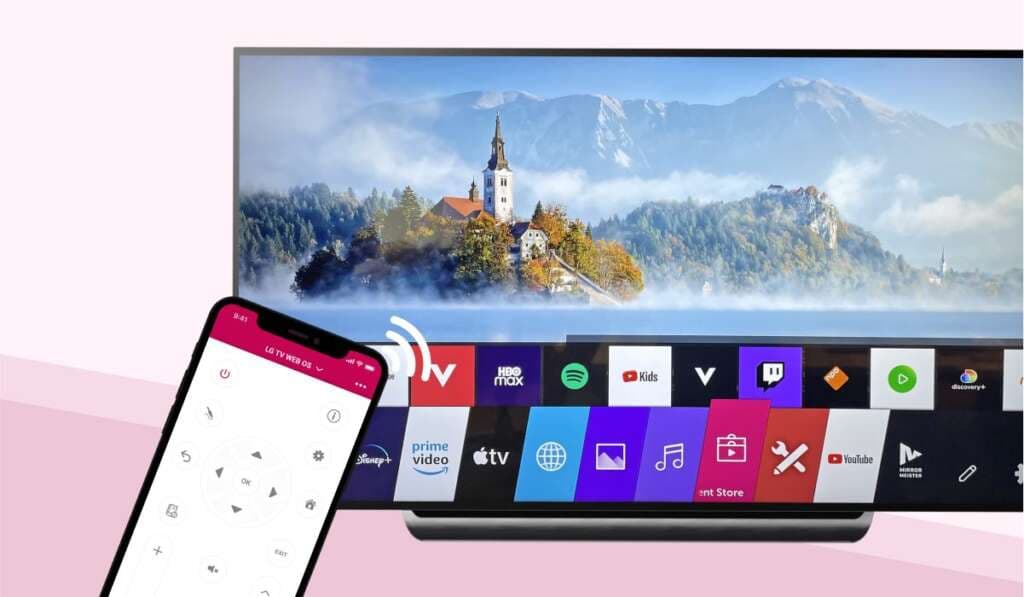
The lg tv remote app has altered how people engage with their smart televisions. LG owners will be able to operate their TVs directly from their smartphone or tablet, rather than only using a traditional remote. The app is a handy, modern way to enjoy entertainment at home, whether it’s flipping through stations, turning up the volume or opening streaming services.
Many buyers still see the lg universal tv remote as a viable alternative solution, especially as a replacement for a lost or broken remote at the same time. By understanding the pros and cons of each choice, consumers can make a decision on what control approach best meets their needs. We at GadgetXpedia feel that ease and usefulness plays a big part to enhance the smart TV experience.
What is LG TV Remote App?
It is a mobile application that enables users to control compatible LG Smart TVs using their cellphones. The app is available for Android and iOS devices and connects to the television on the same Wi-Fi network.
Users can then remotely control a variety of functions without the physical controller. This is a particularly handy feature if the original remote is lost or unavailable.
Many of the recent LG Smart TVs work with the official LG ThinQ app, which integrates television controls with other compatible smart home devices.
Features
A lot of people are finding the tv remote app more popular because it comes with a lot of functions.
Users can do key functions such as:
- turning the TV on or off
- Changing the loudness levels
- Changing channels
- Working with menus
- Streaming apps begin
- typing on a mobile keyboard
- Smart home integration management
- Supported devices with voice commands
The smartphone keyboard function is really useful for things like entering passwords or searching within streaming services, removing the aggravation of traditional on-screen typing.
At GadgetXpedia, we have found these convenience features generally improve the overall smart TV experience greatly.
Installation
Setting up your remote app is usually uncomplicated.
First thing is to link the smartphone and the LG TV on the same Wi-Fi network. Download the official LG ThinQ app for your device from the app store then follow the on-screen pairing instructions.
After adding the TV to the application, users will only need to accept the connection request on the television. Once the pairing is established the smartphone effectively becomes a digital remote control.
Also, install software updates regularly to stay compatible and gain access to new features.
LG TV Remote App vs. LG Universal TV Remote
Comparing lg tv remote app to a lg universal tv remote really comes down to user preference and household needs.
An universal tv remote is a physical controller that can be used to control LG televisions and other entertainment equipment such as soundbars and DVD players in some situations. It gives familiarity and instant access without the need for internet connectivity.
But the remote app is more flexible and has advanced capabilities that standard remotes don’t have. Improved user experience for tech-savvy users: voice integration, keyboard functionality and smart home compatibility.
What is the best option?
If you prefer tactile controls and simple operation, an universal TV remote might be better. The app’s expanded functions could be appreciated by those who frequently stream content and use smart TV features.
In the end many households opt to employ both options at the same time.
Fixing a Common Problem
It is usually stable, although you could have some trouble connecting every now and again.
Typical difficulties are:
- Other devices on Wi-Fi network
- Old firmware on the TV
- Older versions of smartphone apps
- Intermittent network outages
Sometimes, a restart of the TV and smartphone will fix little problems. Also, updating the app and TV software helps with performance and compatibility.
Before jumping to conclusions about hardware failure, we recommend examining network settings at GadgetXpedia.
Is the LG TV Remote App Worthwhile?
It is a useful and feature-packed alternative to standard television remotes. Especially in modern homes, its convenience, easy interface and interaction with LG’s smart ecosystem make it very desirable.
The universal tv remote is a great backup solution while the app brings functionality that goes beyond just simple television control.
Smart home users will certainly like the additional flexibility and ease of access.
Conclusion,
The tv remote app is an example of how mobile technology is constantly enhancing our regular entertainment experience. It offers an effective way to control compatible LG Smart TVs with easy setup, extensive functionality and seamless integration.
The lg universal tv remote is still a trusty alternative for those who like tactile controls, but the app provides a convenience that can’t be matched by regular remotes. At GadgetXpedia, we feel that the optimal way is subjective, but for most users, a combination of both solutions provides the best of both worlds.